🟦 Add your LinkedIn profile to your SalesMail videos
You can now add a LinkedIn profile button to the bottom of your SalesMail videos—making it easy for viewers to connect with you!
To add your profile using the portal from your computer (easiest option):
1. Log into the SalesMail portal, click the profile icon at the upper-right, then select 'My Account'.

2. In a separate browser tab, navigate to your LinkedIn profile. Then copy the URL from the address bar.

3. Return back to SalesMail and paste your profile link into the LinkedIn field at the bottom of the Contact Card section and hit SAVE.

Please note that you do not need to update any blank address info in the other fields; most users inherit their address info from their client/community account.
Please note that you do not need to update any blank address info in the other fields; most users inherit their address info from their client/community account.
Your videos will now have a LinkedIn icon linking to your profile, as shown below:
To add your profile using the SalesMail mobile app:
Important: Update your app in App Store or Google Play Store to 2.2.2 or higher for LinkedIn feature!
1. Tap the Account icon at the bottom right of your SalesMail app.
2. Tap the green EDIT button in the Contact Card section.
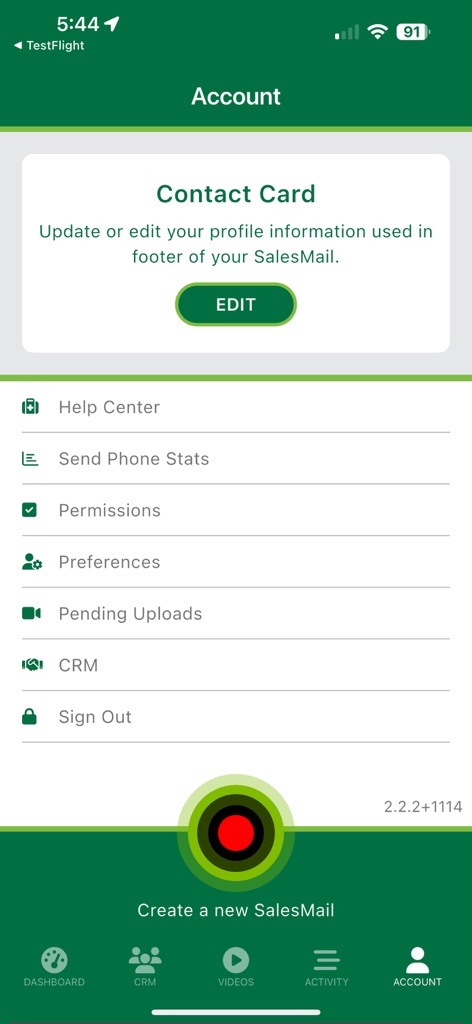
4. Add your LinkedIn profile URL into the LinkedIn Url field at the bottom of the Contact Card form and then hit 'Save'.
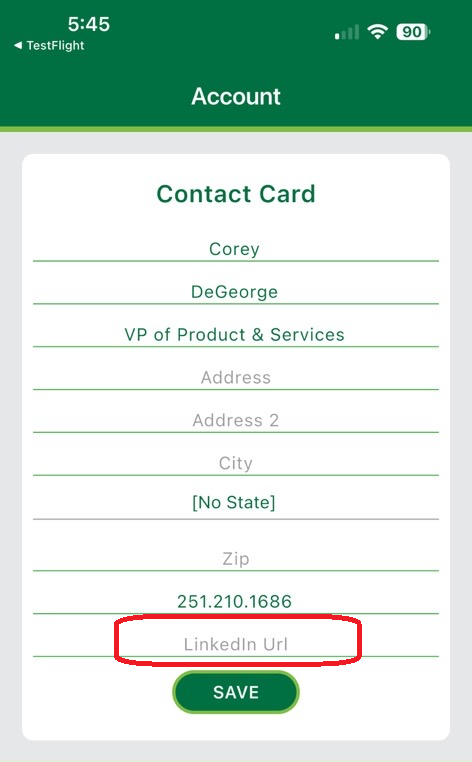
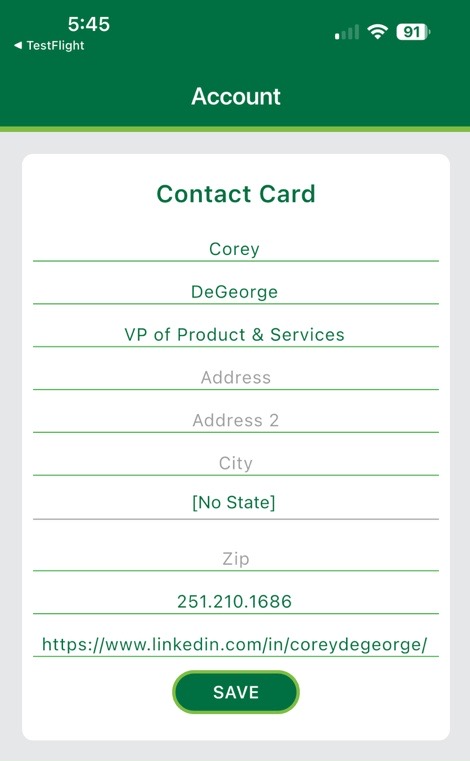 Please note that you do not need to update any blank address info in the other fields; most users inherit their address info from their client/community account.
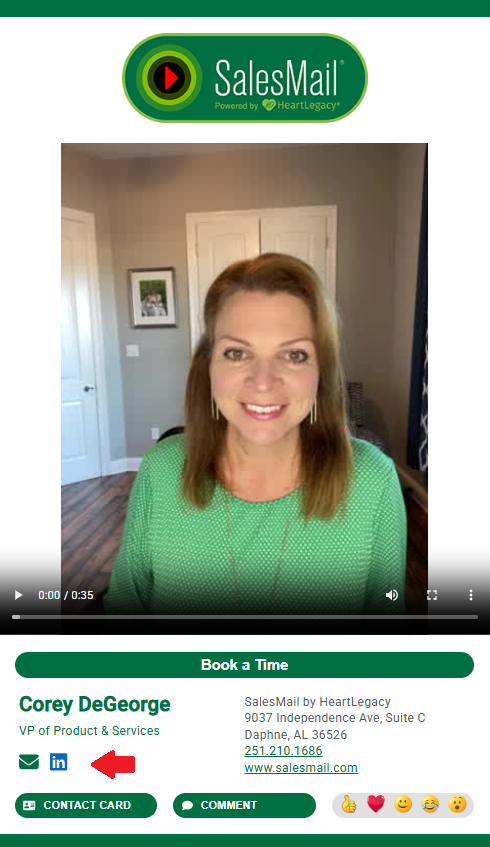
Your videos will now have a LinkedIn icon linking to your profile, as shown below:
Related Articles
Sharing SalesMail videos on LinkedIn
There are three ways to share SalesMail videos on LinkedIn posts, with different advantages for each. No matter which of these methods you use, you will always be able to take advantage of the SalesMail Lenses to add a beautify, holiday, message, ...🤩 SalesMail Power Moves: Post Your Animated GIF in a LinkedIn or Facebook post!
Want to grab even more attention with your SalesMail videos? You can download the animated GIF preview of your SalesMail and use it as an eye-catching "picture post" on LinkedIn — along with a link to your full video so you can drive views, receive ...How to add your SalesMail Expert badge to your LinkedIn profile
After you have earned your SalesMail Expert badge, you can easily share it as part of your LinkedIn profile. Here's how: Go to your professional LinkedIn Profile and scroll down to the “Licenses & certification” section. If that section doesn’t show ...Sharing SalesMail Videos on Social
SalesMail videos can easily be shared on social media sites such as LinkedIn and Facebook. Here are examples of SalesMail video topics you can record and post on social: Promote an upcoming event Invite people to visit your community/business Talk ...SalesMail Portal: How to Add a Call To Action (CTA) Button To a Video (2 min.)
How to add CTA buttons using the SalesMail Portal